

The MacBook does the heavy lifting
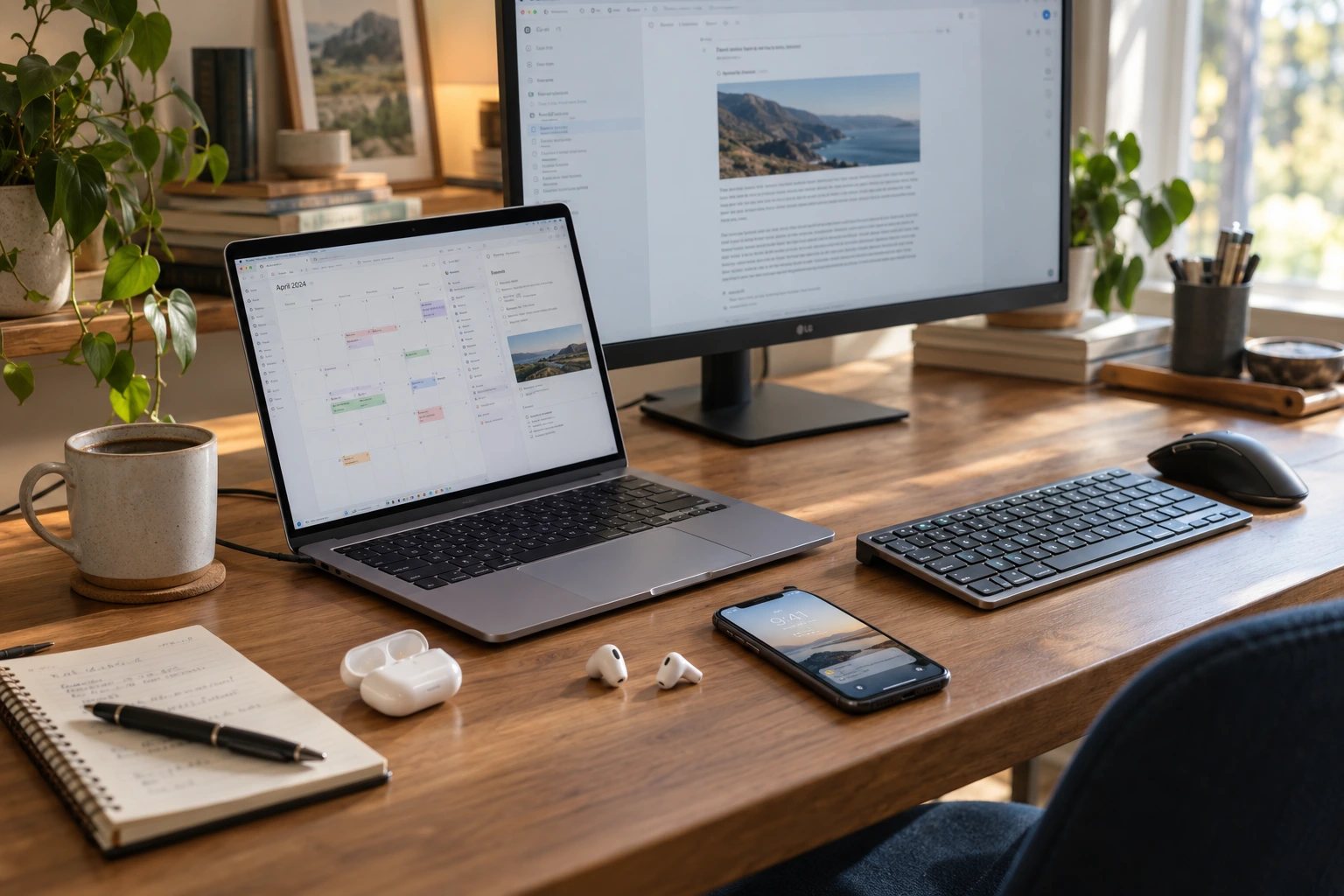
My MacBook Air M5 is my current workhorse. She handles the working day, much of my personal computing, and sometimes the part of the working day that somehow continues past midnight.
I expect to keep her for many years.
At my desk, I use a 27-inch LG display, a Logitech M720 wireless mouse, and a Satechi Slim X1 keyboard. It’s a comfortable setup that lets the laptop settle into desktop duty without giving up the convenience of being a laptop.
I also have an M1 Mac mini. Apparently, one small Mac wasn’t enough.
But the MacBook Air is the machine I would miss most. It’s where I sit down to get things done, whether I’m working for clients, organizing something personal, or rebuilding this website.
The smaller workhorse
My iPhone 14 is the mobile half of that arrangement. It’s also my fallback when the MacBook isn’t available.
It usually gets my attention early in the morning, when I check a little social media. Later, it comes along when I take my dog for our three-mile walk.
That walk can include a podcast, the audio from a video, or a work call. My AirPods 4 with Active Noise Cancellation make the transition easy. They’re small enough to take almost anywhere, and I use them with both the phone and the Mac for meetings, calls, music, and videos.
Those three—the MacBook, iPhone, and AirPods—would be the hardest devices to do without.
They also follow me into the quieter part of the day. Once work is finished, I might relax with the MacBook or iPhone and something to watch or listen to.
Of course, that assumes work is finished.
My iPhone 14 is the mobile half of that arrangement. It’s also my fallback when the MacBook isn’t available.
Keeping my life somewhere I can find it
A good portion of my daily organization happens in Apple’s own apps.
Notes, Calendar, and Reminders help me keep track of my life. Mail, Messages, Maps, and Photos handle other familiar parts of the day. Pages, Numbers, and Keynote are also in the mix.
These are the kinds of tools that become so familiar you stop thinking much about them. You notice their value when you need to find something, remember something, or figure out where you’re supposed to be.
Google Workspace is another essential part of my setup. It covers a large share of both my work and personal needs.
I don’t feel a need to choose one company and make every part of my life fit inside its products. I use the combination that works for me.
Plenty of apps, fewer expensive commitments
My app list is longer than those essentials.
Craft and Notion sit alongside my other productivity tools. Communication happens through a collection that includes WhatsApp, Slack, Telegram, Discord, and Zoom. Instagram and Facebook are there too.
For browsing, I have Safari, Firefox, and Chrome. Visual Studio Code is part of my working toolkit, and ExpressVPN is also in the mix.
Music deserves its own mention. Apple Music, my AirPods, and a JBL Charge 6 give it a place in the day, whether I’m working or winding down.
What you won’t find in my current setup are Adobe Creative Cloud or Microsoft 365. I no longer use them. Free or less expensive alternatives work well for what I need.
I used to work with some of those applications, and they have their place. But familiarity alone isn’t enough reason for me to keep paying for a subscription.
The question is whether I need it now.
A little room for experimenting
Some of my devices have a more specific job.
I keep an iPhone 12 for iOS beta testing. I also have a Motorola XT2417-1 that I use to learn more about Android.
There’s something useful about stepping outside the system you know best. It gives you a chance to learn how someone else approaches the same everyday tasks—and occasionally reminds you how much of your own routine is habit.
Then there’s the Brother MFC-9130CW printer. Even with all these screens and apps, sometimes I still need something on paper.
AI has become part of the working day
ChatGPT is currently my main AI productivity tool. I also use Claude, Gemini, and Perplexity.
AI has made my life easier in several ways. At work, we’ve automated a good deal of the work, which has helped us become more productive. Personally, it’s helping me rethink and redesign this website and overhaul my business so I can offer better work to my clients.
You’re reading one of the results of that process.
Some of its value comes from helping me move forward on projects I had wanted to tackle for a long time. Some comes from having something to think things through with.
But I want to keep the personal and human touch.
I ask AI to challenge my thinking. I want it to question an assumption, point out something I’ve missed, or help me consider a different approach. I don’t want it making important decisions for me.
Those are still my responsibility.
What earns a place in my day
Looking at the whole list, I can see a mixture of work, convenience, entertainment, and curiosity.
Some tools help me earn a living. Others help me remember an appointment, enjoy a walk, listen to music, or learn a system I don’t know very well.
The expensive option doesn’t automatically win. Neither does the newest one. A tool earns its place by being useful to me—and keeps that place for as long as it continues doing the job.
I’m happy to let technology make my life easier.
I still want the life, the work, and the decisions to feel like mine.